Already bought?Log in
For KDP publishers and printable sellers

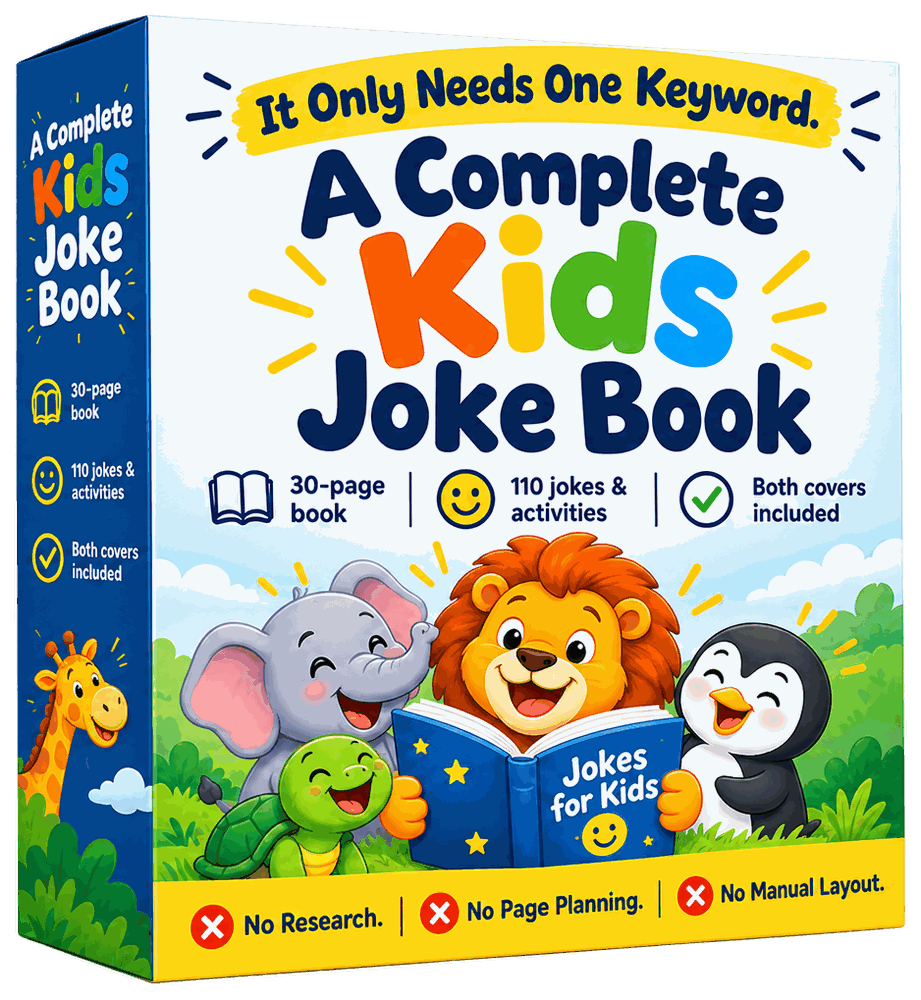
One keyword in.
A finished kids joke book out.

GiggleDeck plans every page, locks the art style, writes the prompts and assembles the print files. ChatGPT does the writing and drawing — in your own account, on your own plan. Nothing is uploaded anywhere.

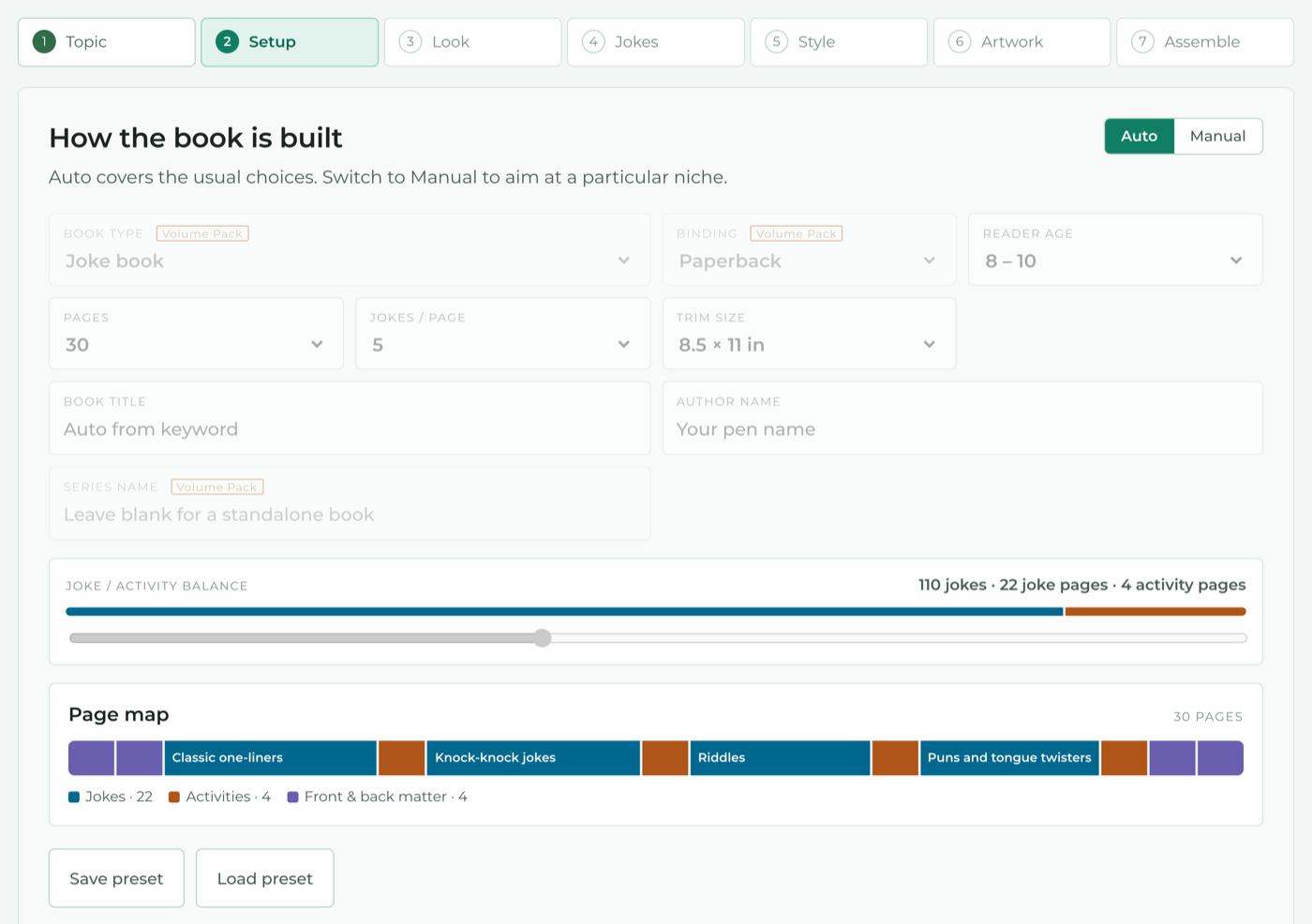
30pages
110jokes
3editions
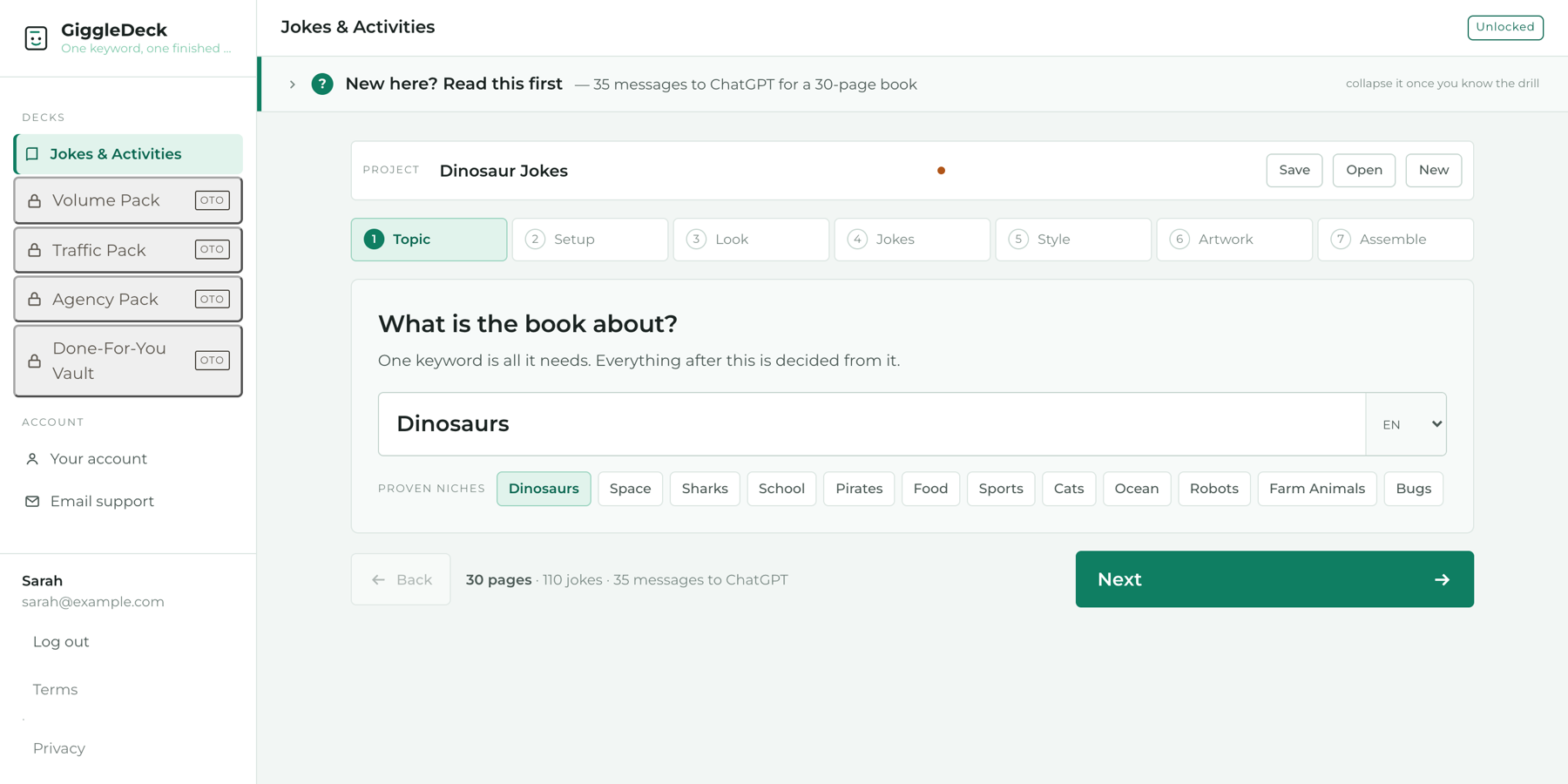
35messages to ChatGPT
2print-ready PDFs

At the default settings. Books run from 24 to 60 pages; every number above changes with your choices and the app shows you the new total before you start.

[ DEMO — 30–60 second screen recording ]
the keyword goes in, the page map fills, one page is copied, one page comes back from ChatGPT, the PDF downloads

This is the single most persuasive element on the page. Do not launch without it.
01 — The part nobody warns you about

ChatGPT will hand you fifty jokes in ten seconds. Then you are the one deciding what goes on page 8.

Getting jokes is easy. Getting a book — thirty pages that read in order, look like one object and survive Amazon's print checks — is where most people stop. Every step below is one you would otherwise do by hand, thirty times.

Which jokes, on which page

Five to a page, grouped by kind, an activity every so often, answers at the back. Someone has to decide, and it is not ChatGPT.

Thirty images that match

Page 3 comes out gouache, page 19 comes out photoreal. The chat forgot. Now you are re-rolling and re-explaining.

Text laid onto art, thirty times

Open Canva. Place the panel. Set the jokes. Check the spelling. Export. Repeat for every page.

The spine width

17.3204 by 11.25 inches for a 30-page colour interior at 8.5 × 11. Get it wrong and KDP rejects the cover.

02 — How it works

Six steps. You copy, you paste, ChatGPT works, you press next.

The app never talks to an AI. It writes every prompt for you, remembers where you are, and turns the finished images back into a book. That is why it costs one payment and not a subscription.

STEP 01

Set it up

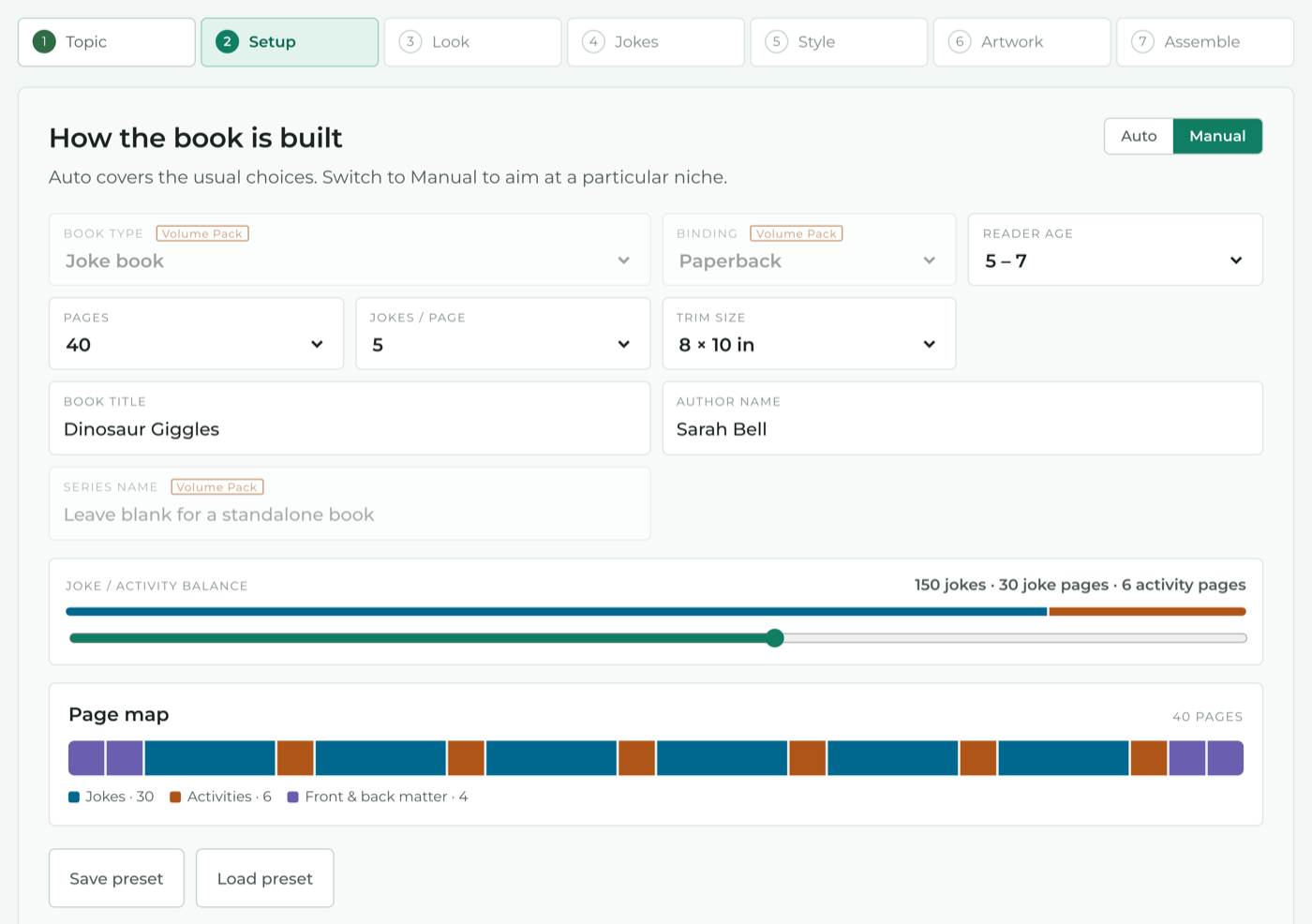
Type a keyword — Dinosaurs, Space, Sharks. Pick an edition and a colour palette. Auto covers the usual choices; Manual lets you set pages, jokes per page, reader age, trim size and title.

STEP 02

Get the words

Copy content part 1 into ChatGPT. Then part 2, then part 3, in the same chat. Each part is sized to fit one reply and knows what the earlier parts already used, so nothing repeats.

STEP 03

Paste it back

Drop ChatGPT's answers into the app. It reads every page block and writes that page's words into that page's image prompt.

STEP 04

Lock the look

Send the style anchor once. It fixes the palette to five exact colours, the line weight, the lettering and the characters — and returns one reference image so you can check before you commit to thirty.

STEP 05

Draw the pages

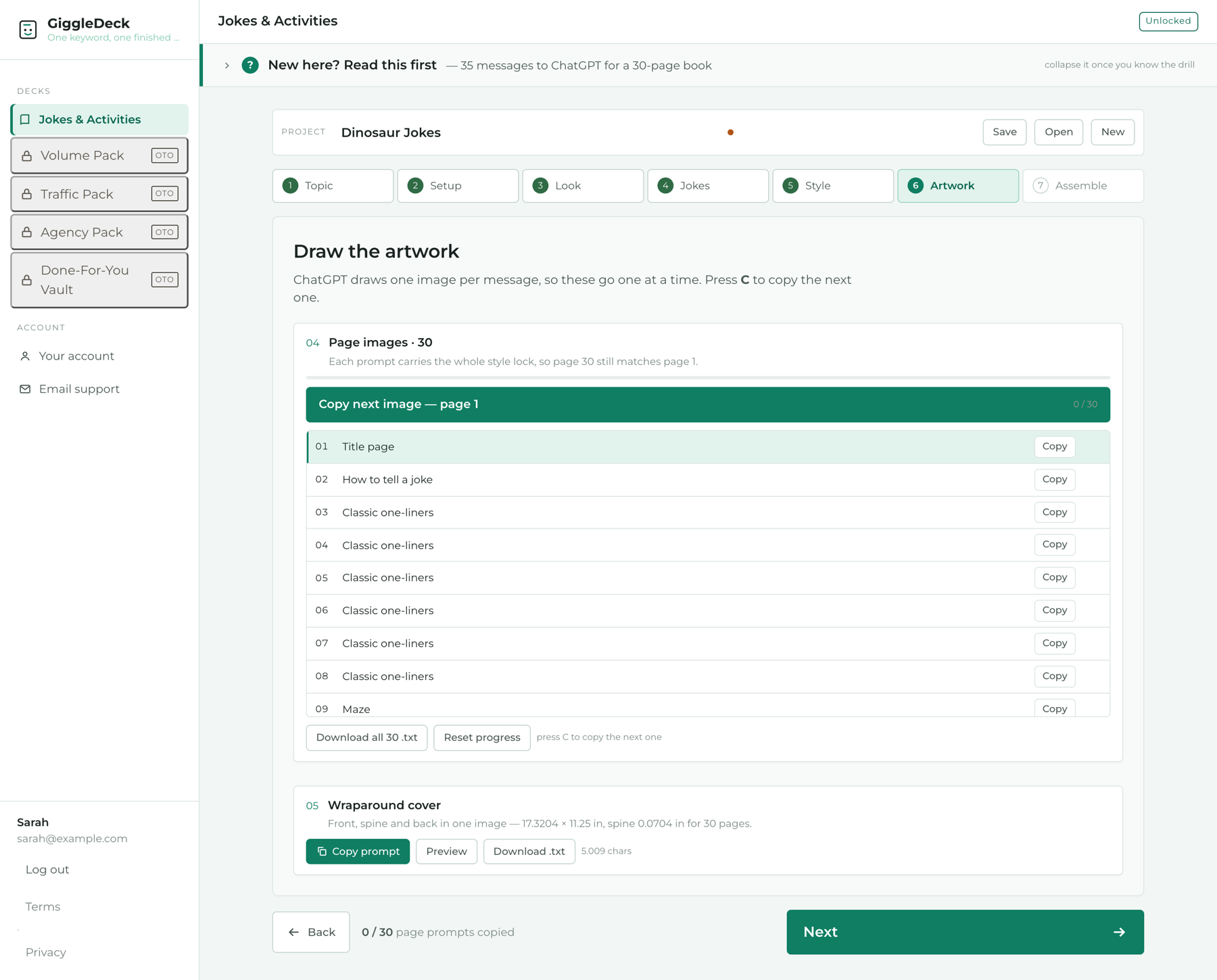
Copy next image, paste, wait, repeat. ChatGPT draws one image per message, so the app queues them, marks each one done and tells you what to send next. Press C to copy the next one.

STEP 06

Assemble the book

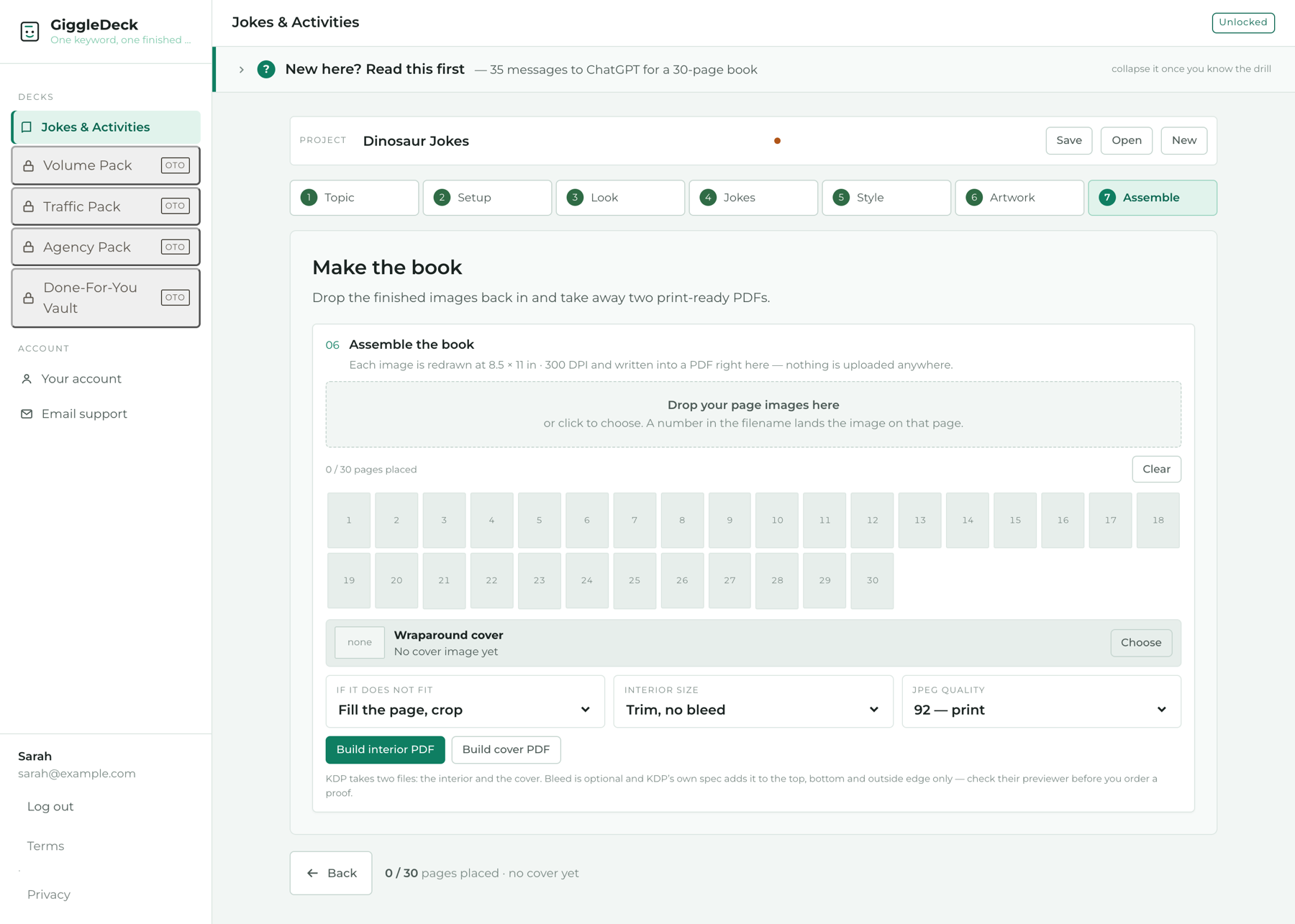
Drop the finished images back in. The app redraws each one at 300 DPI, writes the interior PDF at your trim size and the cover PDF at KDP's wraparound size, spine included. Two files, ready to upload.

03 — What comes out

One book, three editions. Same words, three products.

Every book you plan can be drawn three ways from the same content. That is three listings on KDP from one afternoon of work, at three price points.

The three frames above must be replaced with pages you actually made. Buyers in this market have seen hundreds of these pages and can tell a mock-up from an output. Real, slightly imperfect pages sell better than perfect ones that are not yours.

04 — What is doing the work

Not a bag of prompts. A page plan, a style lock and a print engine.

Every feature below exists to remove a specific piece of hand-work from the list in section 01.

Page plan

Every page holds exactly the same things

One section label, your jokes, one Giggle Fact. Activity pages: one title, one instruction, the activity. The count never varies, which is what makes a page read as edited instead of dumped.

Sections are kept to about six pages each, so a 60-page book is not one endless run of knock-knock jokes.

Style lock

Page 30 matches page 1

Eighteen art directions and twelve palettes, each palette locked to five exact hex values. The whole lock rides along in every single image prompt — so even when the chat has drifted, the next page snaps back.

Odd pages put the words on one side, even pages on the other. One line in the prompt; thirty pages stop looking like thirty copies of one.

Print-ready pages

The words are drawn into the art

Nothing to lay out afterwards. The prompt puts the text on a panel and tells ChatGPT to match the panel to how bright that part of the page came out — dark block on dark art, cream card on light art.

Prefer to typeset yourself? Turn it off and every page comes back with a clean empty zone instead.

The queue

Built for one image at a time

ChatGPT makes one image per message. Fighting that wastes an afternoon. The app queues all thirty, shows progress, and hands you the next prompt with one key press.

Content is split the same way — into parts that each fit one reply — so you never see "this exceeds the length of a single response".

The assembler

Two PDFs, KDP's sizes, in your browser

Drop the images back in. Each page is redrawn at exactly trim × 300 DPI and written into an interior PDF; the cover gets its own file at the wraparound size with the spine computed from your page count and paper. Four trims: 8.5 × 11, 8 × 10, 8.5 × 8.5, 6 × 9.

No upload, no server, no library that can fail to load. The PDF writer lives inside the page itself.

Reach

Ten languages, one workflow

English, Spanish, French, German, Portuguese, Italian, Dutch, Indonesian, Japanese, Vietnamese. Language is one setting; every prompt, including the tiny AI-disclosure line at the foot of each page, follows it.

05 — Read this before you buy

What it does, and what it does not do.

Buyers who know these before paying never ask for a refund. Buyers who find them out afterwards always do. So here they are, before the button.

It does

  • Plan a 24- to 60-page kids joke and activity book from one keyword and write every prompt you need.
  • Keep thirty pages in one style by sending the full style lock with every image.
  • Assemble your finished images into a KDP-sized interior PDF and cover PDF, in the browser.
  • Run entirely on your machine. Nothing you type or upload leaves the page.

It does not

  • Write or draw anything itself. ChatGPT does that. You need a ChatGPT plan that can generate images; a 30-page book is 35 messages, so budget an hour or more of your own time.
  • Guarantee the spelling inside the art. The prompt tells ChatGPT to check every word, and it still slips sometimes. You regenerate that one page. Never publish a page with a typo in the picture.
  • Let you move things around on a page. It is not a layout tool. If you want that control, use artwork-only mode and typeset the words yourself.
  • Submit to KDP or check KDP's rules for you. It produces the two files at the right sizes. KDP's bleed spec adds bleed on three edges, not four, so check their previewer before you order a proof.
  • Make anything other than kids joke and activity books. One deck, one kind of book, done properly.
The one-line rule: if you already publish on KDP or sell printables and you want more kids joke books out the door, this removes the planning. If you have never made a book before, it will still work — but the hour with ChatGPT is still yours.

This is for you if

  • You publish on Amazon KDP or sell printables on Etsy and want more kids joke books out per month.
  • You already use ChatGPT and are comfortable copying and pasting.
  • You would rather spend an hour pressing "next" than an afternoon in Canva.
  • You want the same book in three editions without planning it three times.

This is not for you if

  • You expected the app to generate the book on its own. It writes the prompts; ChatGPT does the work.
  • You do not have, and will not get, a ChatGPT plan that generates images.
  • You want pixel-level control over where text sits on the page.
  • You want to make novels, non-fiction or anything that is not a kids joke and activity book.
06 — What you get

Everything on this page. Nothing held back for later.

One payment. The app runs in your browser and never bills you per book, per page or per image — there are no credits to run out of, because there is nothing to meter.

  • The GiggleDeck Jokes & Activities deck — page planner, prompt compiler, image queue and PDF assembler
  • Three editions: Full Colour, B&W Colouring, Scribble
  • Eighteen art directions and twelve locked five-colour palettes
  • Print-ready mode and artwork-only mode
  • Ten languages
  • Four KDP trim sizes with the cover geometry computed for each
  • Interior and cover PDF assembly at 300 DPI, in the browser
  • The built-in guide, including what to do when a page comes back wrong
  • Commercial licence: publish and sell every book you make. You may not resell or redistribute the app itself.
One-time payment
$$17
[ launch pricing note, if any — state the end date and what the price becomes ]
Get GiggleDeck now

[ replace the button link with your checkout URL ]

Instant access after payment. Works in any current desktop browser. Requires your own ChatGPT account with image generation.

30-day guarantee. If the app does not do what this page says, or a technical problem stops you using it, write to support within 30 days and you get your money back. It does not cover changing your mind about making books, and it cannot cover what ChatGPT does or does not draw.
07 — Questions

The ones people actually ask.

If yours is not here, ask before you buy. A question answered before payment is a refund that never happens.

Does GiggleDeck use AI?

No. It never calls an AI service and never sends your data anywhere. It plans the book, writes every prompt, keeps track of where you are, and assembles the finished images into PDFs. The writing and drawing happen in your own ChatGPT account.

Which ChatGPT plan do I need?

One that can generate images. Text-only access will get you the words but not the pages. Check your plan's image limits: a 30-page book at the default settings is 32 images (one reference image, 30 pages, the cover) and 3 text replies.

How long does one book take?

35 messages to ChatGPT for a 30-page book at the default settings — 3 for the words, 1 to lock the style, 30 pages, 1 cover — plus the time ChatGPT takes to draw each one. Plan on an hour or more. The app counts the messages for your exact settings before you start.

Will all 30 pages really look the same?

Far more than they would by hand, because every image prompt carries the full style lock — palette to the hex value, line weight, lettering, character rules. If a page still drifts, you copy that page's prompt again and it comes back in line. It is not magic; it is the same instructions, thirty times, without you retyping them.

What about spelling mistakes in the pictures?

They happen. The prompt tells ChatGPT to read every word back against the text before finishing, and it still slips now and then. When it does, you regenerate that one page — not the book. Never publish a page with a typo in the artwork; regenerating costs one message.

Can I make more than one book?

As many as you like. Nothing is counted or metered. Change the keyword and press Build.

Does it work in other languages?

Ten: English, Spanish, French, German, Portuguese, Italian, Dutch, Indonesian, Japanese and Vietnamese. Every prompt follows the setting, including the small AI-disclosure line at the foot of each page.

Are the PDFs ready for KDP?

They are the right sizes: interior at your trim, cover at the wraparound width with the spine computed from your page count and paper type, both at 300 DPI. Interior bleed is optional. KDP's own spec adds bleed on the top, bottom and outside edge only, so run the files through KDP's previewer — and order a proof — before you publish.

Can I sell the books I make?

Yes. The licence covers publishing and selling every book you produce, on KDP, Etsy or anywhere else. You may not resell, share or redistribute GiggleDeck itself.

Will it make anything other than kids joke books?

Not this deck. It plans one kind of book and does it properly. Other decks may follow; if they do, they will be sold as what they are, not bundled into a promise here.